Offline activities

Materials in this section:
 Offline_Activities.zip
Set of 24 activities based on the different sections of Askability
 Individual_Activities
Download the individual actvities on each topic
Small-Vocabulary-Cards.pdf
Large-Vocabulary-Cards.pdf
Cards featuring Widgit Symbols to illustrate a range of words – smaller cards can be used when completing surveys and larger cards can be used in the classroom to help discussion
Vocabulary-Cards-Templates.zip
Templates for the vocabulary cards for the PC software Communicate: InPrint. These can be used to support additional vocabulary.
The URL Cards show the web addresses of specific pages on the website to encourage browsing, with space to add an article within the section
URL-Cards.zip
All 50 URL card sheets - one sheet with 10 cards for each URL
Individual-URL-Cards
Individual sheets with 10 cards for each URL
URL-Card-Collection.pdf
A collection with one card for each URL
Much of the content on Askability can act as a support for, or stimulus to, class work, which can be worked through offline.
Activities
A set of 'Offline Activities' is available to download. The activities aim to encourage the students to:
- think about what they’ve read in the various sections of the site
- to consider the factual information
- think about how they felt about it, adding their own opinions and ideas.
Students may wish to think beyond the article and create their own contribution to the subject.
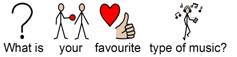
For example, the activity sheet for the music reviews section (www.askability.org.uk/music) encourages the student to remember the details of the review, to consider their thoughts on it, and to assess their feelings about music generally.
You may not wish to give all three levels of information to every student. The materials are designed in such a way that you can separate the different levels.
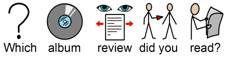
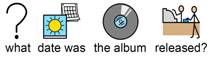
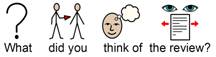
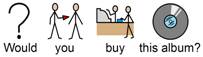

These activities will also provide a good record of the student’s web use, and which pages of the website they have been visiting.
Widgit Symbol vocabulary cards
The Widgit Symbol vocabulary cards available to download (see above) can be used to answer the questions within the activities.
The vocabulary cards feature a wide range of Widgit Symbols, with a selection relating to vocabulary for each of the areas covered by the activities:
- News
- Sport
- Stars
- Weather
- Cinema
- Farm
- Zoo
- Museum
- Library
- Shows
- Parks
- Events
- Jokes
- Books
- Computer games
- DVDs
- Music
There is also a selection of vocabulary cards relating to feelings – for example, ‘happy’, ‘agree’, ‘don’t know’, ‘discuss’ and ‘look at’.
The vocabulary cards come in two sizes, ' Small Vocabulary Cards' and 'Large Vocabulary Cards'.
Using the Activities and Vocabulary cards
Vocabulary cards
The smaller vocabulary cards are designed to be cut up and stuck on the activity sheets to answer the questions. These can be a sucessfull way to support students that are not able to complete this activity alone. They can also be used if a activity is being completed by a group. Where students can pick out various cards and discuss them before sticking to the sheet.
The larger cards are easier to use in discussion work, then can be used as prompts to encourage conversation. They can also be included in displays and other activities around these topics.
Activities
The activity sheets can be filled in by individuals or as group/class activities. You may also wish to print out the activity sheets and cut out each question. Using these along with the cut-up larger vocabulary cards in a group can encourage discussion. Using a conversation board can be a very effective way of facilitating this.
Making your own Widgit Symbol vocabulary cards
You may wish to make a selection of your own Widgit Symbol vocabulary cards to provide you with a more targeted vocabulary for specific discussions. The two PC software applications that you can use to create more symbol cards are Communicate: In Print and Communicate: SymWriter.
Communicate: In Print
We have provided some 'Communicate: In Print templates' for making your own vocabulary cards. Using these templates, you can make cards of different sizes featuring Widgit Symbols of your choice, with or without borders.
Communicate: SymWriter does not have grid-printing facilities, but you can use Tabs to lay out symbols across a page so that they can easily be cut up into cards. For large cards, set the tabs (found under the text/paragraph menu). Three tabs across the page works well with a graphic size of 16 and a text size of 24 (although this will vary a little depending on the font you use). Small cards for using in the activity sheets can be made from 5 tabs with a graphic size of 12 and a font size of 14.
More about the software:
Exploring Askability outside school or college
Once the student is familiar with Askability and is becoming confident at accessing content, the site is ideal for use in other places – for example, at home, with friends, in the library, or in the social club.
Setting homework
If a student has access to the Internet at home (which you can determine by helping them complete the ‘Using the Internet’ activity), you may wish to use the Askability URL cards to set homework tasks looking at specified sections of the website. (This may only be appropriate if the student has help from an adult at home).
Information on Askability for parents and carers
A letter for parent and carers can be downloaded (see above, which you can send home with the student. This, along with the Askability URL cards, should give a parent, carer, librarian or member of an organisation sufficient guidance to be able to help the student in other places where they might access the Internet.
The next section explains how to participate in Askability through the 'Speak up' section: Next
- Home
- What is Askability?
- What’s on the Askability website?
- Reading Askability online
- Offline Activities
- Participating in the website
- Chat on Askability
- Widgit Symbols
Go to Askability.org.uk